
Norton VPN – Fast & Secure
NortonMobileTools
4.450.73K Reviews
- Version
- 26.20.0.261030325
- Installs
- 10.00M
- Age Rating
- Everyone
Screenshots

Our Review of Norton VPN – Fast & Secure
 Analysis by Appyee
I find a VPN easiest to judge in the ordinary moments when several people share a home network: someone checks a bank account on a phone, another person reads the news on a tablet, and a guest asks to use the Wi-Fi. That is the setting where Norton VPN – Fast & Secure makes the most sense to me: as a straightforward privacy tool for a person who wants an encrypted connection without learning a lot of networking jargon. It is a free tools app from NortonMobile, with optional in-app purchases ranging from $9.99 to $129.99 per item. Its 4.5 average from around 300,000 ratings and more than 10 million installs suggest that it has found a broad audience, though popularity alone cannot tell you whether its particular setup fits your household.
One home, several devices, clear expectations
A VPN protects the connection made by the device using it; it does not automatically make every phone, laptop, or smart device in a household private. I would treat Norton VPN as a personal layer on the phone or tablet where it is installed, rather than as a whole-home shield. That distinction matters if you share Wi-Fi with children, visitors, or a partner: their devices need their own appropriate protection and settings, and the app should not be mistaken for a router-wide security solution.
A practical routine is to agree who is responsible for turning the VPN on, and when. For example, I would make it part of the routine before joining café or airport Wi-Fi, rather than assume that one person’s protected phone covers everyone nearby. At home, it can still be useful when you want an encrypted connection on your own device, but it is not a substitute for sensible account passwords, software updates, or checking whether a site is genuine.
Set boundaries before sharing a phone
If a child borrows your phone, I would not rely on a VPN to decide what they can view or do. A VPN is about the network connection, not household rules or age-appropriate access. I would keep personal accounts and device access separate where possible, and explain that turning on a VPN does not make a risky link trustworthy or remove the need to think before sharing personal information.
That is also a useful boundary for adults sharing a device. The VPN connection does not turn separate people into separate app users, and it should not be treated as a way to conceal activity from someone who has access to the same unlocked phone or account. I see it as a connection safeguard, not a substitute for account privacy. If your main goal is managing a child’s screen time or filtering what they can open, a dedicated parental-control tool is a better match.
Coordination without overcomplicating things
For a household, the simplest workflow is often the one people actually follow. I would decide which personal devices need a VPN, make sure each user knows how to check the connection, and avoid assuming that a single installation covers the family. When someone is troubleshooting a slow page, first checking whether the VPN is connected can help distinguish a connection issue from a problem with the website or Wi-Fi itself.
There is a trade-off here: an always-on habit can reduce the chance of forgetting protection on public networks, but any VPN may affect how some services behave. If a banking app, local service, or streaming site acts differently, temporarily disconnecting for that task can be a sensible test. I would reconnect afterward when privacy on the network is the priority. This kind of deliberate switching is more useful than treating a VPN as a magic setting that should never be touched.
Age, trust, and the limits of the label
The app is rated for Everyone, and its minimum operating-system requirement is version 10. That makes it broadly suitable from an age-rating perspective for compatible devices, but an Everyone label is not a promise that every online destination is appropriate for every user. I would still supervise younger users according to their age and maturity, and use the device’s own family settings when those are needed.
Trust also deserves a little care. Norton is a familiar security name, and the app is aimed at protecting traffic, but I would not interpret a VPN as total anonymity or as proof that a company, website, or download is safe. It changes how your internet connection is routed and protected; it does not erase the information you volunteer to a service or prevent every form of tracking. That more modest expectation makes the app easier to evaluate honestly.
Getting Started with Norton VPN
First things first, setting up the app is a breeze. I downloaded it from the app store, and within minutes, I was up and running. The interface is clean and intuitive, which is a massive plus. No one wants to wrestle with a complicated UI when all you want is to secure your connection.
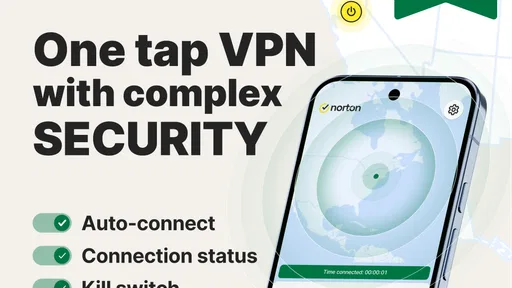
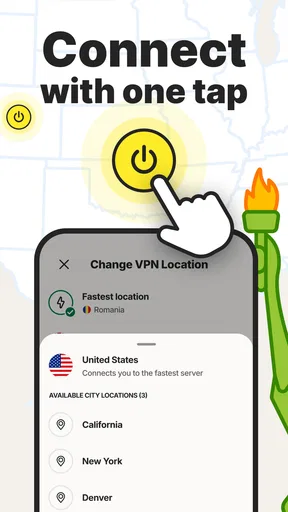
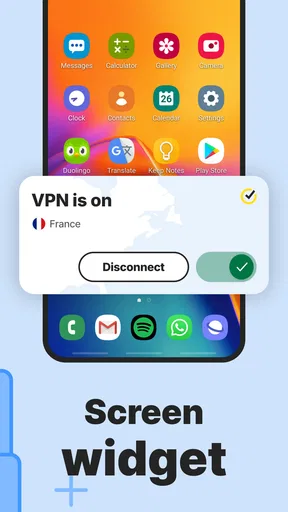
Once you launch it, you’ll notice how straightforward it is. There’s a big button to connect, and boom, you’re online securely. It’s as simple as that. For those of us who aren’t tech-savvy, this simplicity is a lifesaver.
Features that Stand Out
So, what makes Norton VPN stand out? For starters, it offers bank-grade encryption. This means your data is wrapped up tight, keeping prying eyes at bay. Perfect for when you’re sipping coffee at a public Wi-Fi spot and want to keep your data safe.
Another feature I love is the no-log policy. Norton promises not to track your online activities, which is crucial if you’re serious about privacy. Plus, they offer an ad blocker. If you’re like me and find ads popping up at every corner of the internet annoying, this feature will be your new best friend.
Performance and Speed
Now, let’s talk about speed. One of the biggest concerns with VPNs is that they can slow down your internet. I’m happy to report that Norton VPN holds its own pretty well in this department. While there is a slight dip in speed, it’s nothing major. Streaming and browsing remained smooth, which is a huge relief.
They’ve got servers in multiple countries, so you can easily switch locations to access region-specific content. I tried accessing some geo-blocked content, and it worked seamlessly. No buffering or long loading times – just smooth streaming.
Security and Privacy
Security is where Norton VPN truly shines. With its military-grade encryption, you can breathe easy knowing your data is secure. Whether you’re banking online or just checking your email, this VPN has got your back.
I also appreciate the automatic kill switch feature. In case your VPN connection drops, it automatically cuts off your internet to prevent any data leaks. It’s like having an extra layer of protection, which is always a good thing.
User Experience
The user experience is top-notch. Everything is laid out clearly, and I didn’t experience any crashes or glitches while using the app. It’s compatible with both Android and iOS, making it versatile for different devices.
The app also provides excellent customer support. I had a couple of questions, and their support team was quick to respond with detailed answers. It’s reassuring to know that help is readily available if you run into any issues.
How it fits into a normal day
Imagine leaving home with your phone, checking messages on the bus, then opening a banking app while waiting for coffee on public Wi-Fi. This is the sort of day when I would want the VPN ready before I connect, rather than remember it halfway through a sensitive task. The large connect control makes that habit easy to form, and I would check the app again if the network changes, such as moving from mobile data to a café hotspot.
That routine is useful, but it is not a reason to leave common sense behind. I would still use the bank’s official app, avoid links sent unexpectedly, and check that I am using the real service. A VPN can reduce exposure on an untrusted network; it cannot verify the person on the other end of a message or stop me from entering information on a convincing fake page. That distinction is especially worth explaining to less experienced family members.
Choosing between a VPN and simpler alternatives
Compared with browsing without a VPN, the appeal here is the added encrypted route and the convenience of managing it from a phone app. Compared with a VPN built into a router, this is more personal and portable: I can take the protection with my device onto another network, while router-level coverage may suit someone who wants to manage a home connection centrally. Those approaches solve different problems, so I would not expect this app alone to protect every connected device in a household.
Some people may also use a browser’s private mode and assume it does the same job. It does not: private browsing mainly affects what is saved locally in that browser session, while a VPN concerns the network connection. I would use private browsing when I do not want a session retained on a shared device, and a VPN when I want an added layer on the connection. Neither replaces the other, and neither makes online activity invisible to every service involved.
Small checks that make the app more useful
Before relying on the VPN for an important task, I would connect while still on a trusted network and get familiar with the app’s status indicator. That avoids learning the interface in a hurry at an airport or on a crowded public hotspot. If a page stops loading, I would check the VPN state first, then try the site again or briefly disconnect to see whether the service is reacting to the VPN route. I would not leave it disconnected by accident after troubleshooting.
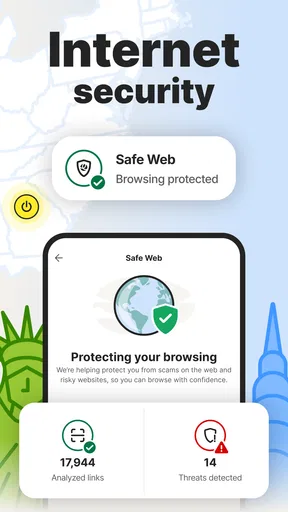
The ad blocker can be helpful if intrusive advertising is a regular annoyance, but I would treat it as a convenience rather than a complete solution to tracking or unsafe content. Some websites depend on scripts that blockers may affect, so if a page looks incomplete, checking whether the blocker is involved is a practical first step. This kind of troubleshooting is a fair trade-off: added protection and fewer distractions can sometimes mean a site needs an exception or a different way of loading.
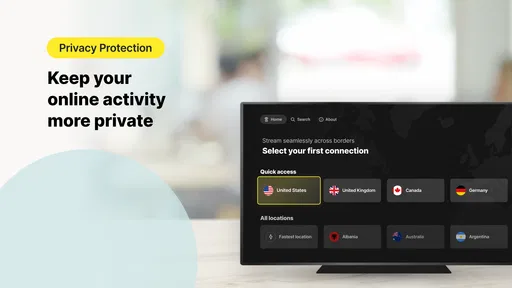
Another useful habit is to think about why you are changing locations. Norton VPN offers servers in multiple countries, which can help with access to region-specific content, but choosing a distant location is not automatically better for privacy or speed. I would pick the location that fits the task instead of switching repeatedly. A streaming service may treat a location change differently from a news site, and a connection that works for one task may be inconvenient for another.
Who will appreciate it, and who may prefer something else
I think this app suits someone who wants a recognizable security provider, a simple connect-and-go workflow, and a VPN they can use away from home without configuring network settings. It is especially approachable if the household includes a less technical adult who needs a clear control rather than a list of advanced options. The free download makes it easy to begin, but the in-app purchase range means I would check the plan and renewal terms shown in the app before paying, and compare them with what I actually need.
I would look elsewhere if my main requirement were centralized protection for every device in a house, detailed network administration, or parental controls. A router solution or a purpose-built family safety product is a more direct fit for those needs. I would also be cautious about choosing any VPN solely for streaming access: services can change how they handle VPN traffic, and a location switch is not a guarantee that every catalog or website will work every time.
Wrapping It Up
In a world where online privacy is becoming increasingly important, having a reliable VPN is a must. Norton VPN – Fast & Secure offers a solid mix of speed, security, and ease of use. While it’s not the cheapest option out there, the peace of mind it provides is worth the investment.
Whether you’re on public Wi-Fi or just want to keep your browsing private, Norton VPN has you covered. It’s a user-friendly app that does exactly what it promises – keeping your online activities private and secure. So, if you’re in the market for a VPN, give Norton a spin. You might just find it’s the perfect fit for your needs.
My household verdict
For a shared home, I see Norton VPN as a useful personal tool rather than a family control center. Its Everyone age rating and accessible layout make it less intimidating to introduce, but adults still need to set expectations about accounts, supervision, and what a VPN can and cannot do. I would recommend it to someone who wants a simple way to protect their own phone on unfamiliar networks and understands that each household member’s device is a separate decision.
If you need one service to administer children’s access, cover smart TVs and other devices automatically, or enforce rules across a whole household, this is not the right answer by itself. If you mainly want a clear mobile VPN from NortonMobile and are comfortable checking the paid options before committing, it is a reasonable choice to try. I would keep the decision tied to the actual routine: use it where network privacy matters, leave other protections in place, and do not mistake a green connection indicator for a guarantee that every online activity is safe.
Privacy and Permissions
See what permissions an app requests and how it handles your data.
- Identity
- find accounts on the device
- Contacts
- find accounts on the device, read your contacts
- Location
- approximate location (network-based), precise location (GPS and network-based)
- SMS
- read your text messages (SMS or MMS), receive text messages (SMS)
- Phone
- read phone status and identity
- Photos/Media/Files
- access USB storage filesystem, read the contents of your USB storage, modify or delete the contents of your USB storage
- Storage
- read the contents of your USB storage, modify or delete the contents of your USB storage
- Camera
- take pictures and videos
- Wi-Fi connection information
- view Wi-Fi connections
- Device ID & call information
- read phone status and identity
- Other
- view network connections, change network connectivity, connect and disconnect from Wi-Fi, control flashlight, full network access, close other apps, run at startup, reorder running apps, draw over other apps, prevent device from sleeping, install shortcuts, uninstall shortcuts, Google Play license check
Verdict
Strengths of Norton VPN – Fast & Secure
- Strong encryption ensures data privacy.
- Easy-to-use interface for all users.
- Global server network for wide access.
- No-log policy for enhanced security.
- Supports multiple devices simultaneously.
Limitations of Norton VPN – Fast & Secure
- Limited free version availability.
- May slow down internet speed.
- Inconsistent customer support response.
- Some servers may experience downtime.
- No split tunneling in mobile apps.
Other Releases by NortonMobile
View All
Norton360 Antivirus & Security
Tools4.6

Norton Cleaner – Junk removal
Tools4.6

LifeLock Identity by Norton
Finance4.3

Norton Family Parental Control
Parenting3.2
Similar Picks in This Category
View All
Google LLC4.0

Gboard - the Google Keyboard
Google LLC4.5

Google Play services
Google LLC4.3

Google Play Store
Google LLC4.9

Files by Google
Google LLC4.5

SHAREit: Transfer, Share Files
Smart Media4U Technology Pte.Ltd.4.3
Frequently Asked Questions
What is Norton VPN and how does it work?
Norton VPN is a virtual private network service that provides secure and private internet access. It encrypts your data, making it difficult for hackers and third parties to track your online activities. By connecting to one of its many global servers, you can also bypass geo-restrictions and access content from different regions.
Is Norton VPN available on both Android and iOS devices?
Yes, Norton VPN is available for both Android and iOS devices. You can download it from the Google Play Store for Android or the Apple App Store for iOS. The app is designed to be user-friendly on both platforms, offering a seamless experience across devices.
Does Norton VPN affect internet speed?
Using a VPN can sometimes affect your internet speed due to the encryption process and the distance to the server. However, Norton VPN is optimized to provide fast and reliable connections. It offers multiple server locations, allowing you to choose the one closest to you for better performance.
How secure is Norton VPN?
Norton VPN uses bank-grade encryption to secure your data and protect your privacy. It prevents cybercriminals from intercepting your information on public Wi-Fi networks. Additionally, it has a no-log policy, ensuring that your online activities are not tracked or recorded.
Does Norton VPN offer a free trial?
Norton VPN often provides a free trial period for new users to experience its features without commitment. This allows you to evaluate its performance and suitability for your needs. It's advisable to check the app’s current offerings on the official website or app store for the latest trial details.
